Venn Diagrams — Texts & Labels
Each area of the Venn diagram can be labeled with text. The settings are located in the Texts tab of the Task Pane.
Labelable Areas
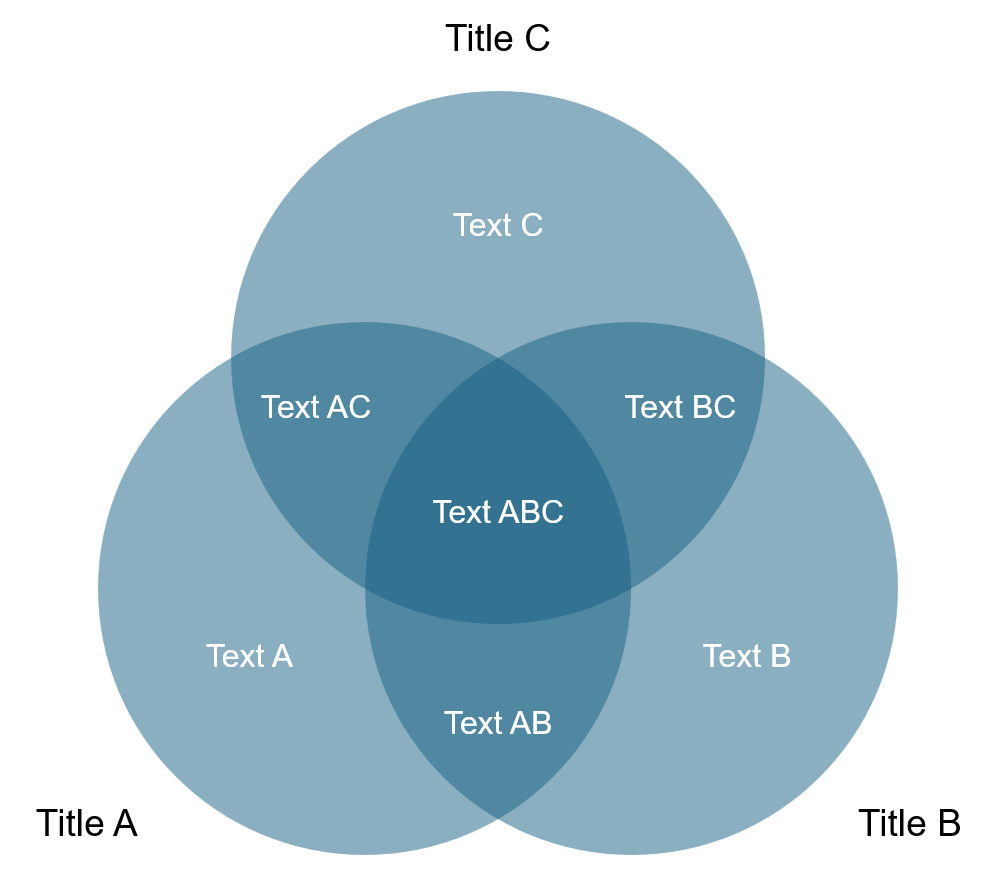
| Area | Position |
|---|---|
| Title | Heading of the entire diagram |
| Title A | Label above/beside circle A |
| Title B | Label above/beside circle B |
| Title C | Label above/beside circle C (3-circle diagram only) |
| A | Text in the exclusive area of circle A |
| B | Text in the exclusive area of circle B |
| C | Text in the exclusive area of circle C |
| AB | Text in the intersection A ∩ B |
| BC | Text in the intersection B ∩ C |
| AC | Text in the intersection A ∩ C |
| ABC | Text at the center (all three) |
Setting the Font
A separate font can be chosen for each area. The font is selected from the dropdown next to the text field.
Font Presets
| Button | Effect |
|---|---|
| Apply to Main | Transfers the font to all circle titles (Title A, B, C) |
| Apply to Sub | Transfers to all intersection texts (A, B, C, AB, BC, AC, ABC) |
| Apply to All | Transfers to all labels |
Empty Fields
Fields left empty are created without a label in the diagram. Not every area needs to be filled in.